They fall into a handful of categories: predictive maintenance, quality and vision inspection, supply-chain and demand forecasting, generative design and digital twins, robotics and cobots, and operational-data AI. The first five mostly need new hardware like sensors, cameras, or robots. The last one runs on the ERP, CRM, and finance data a manufacturer already holds, which is why it tends to deliver the fastest return for a mid-sized shop.
Services
AI Use Cases in Manufacturing
10 Implementations Anchored in Your ERP and Operational Data
Built byCharles Penn · Founder, FlowCo
Manufacturers today face unprecedented pressure. Supply chains are more unstable than ever, the price of materials and labor keeps climbing, and quality has to be perfect. Unplanned equipment outages now cost hundreds of thousands, and even millions of dollars per hour.
Free · No obligation · We reply within one business day
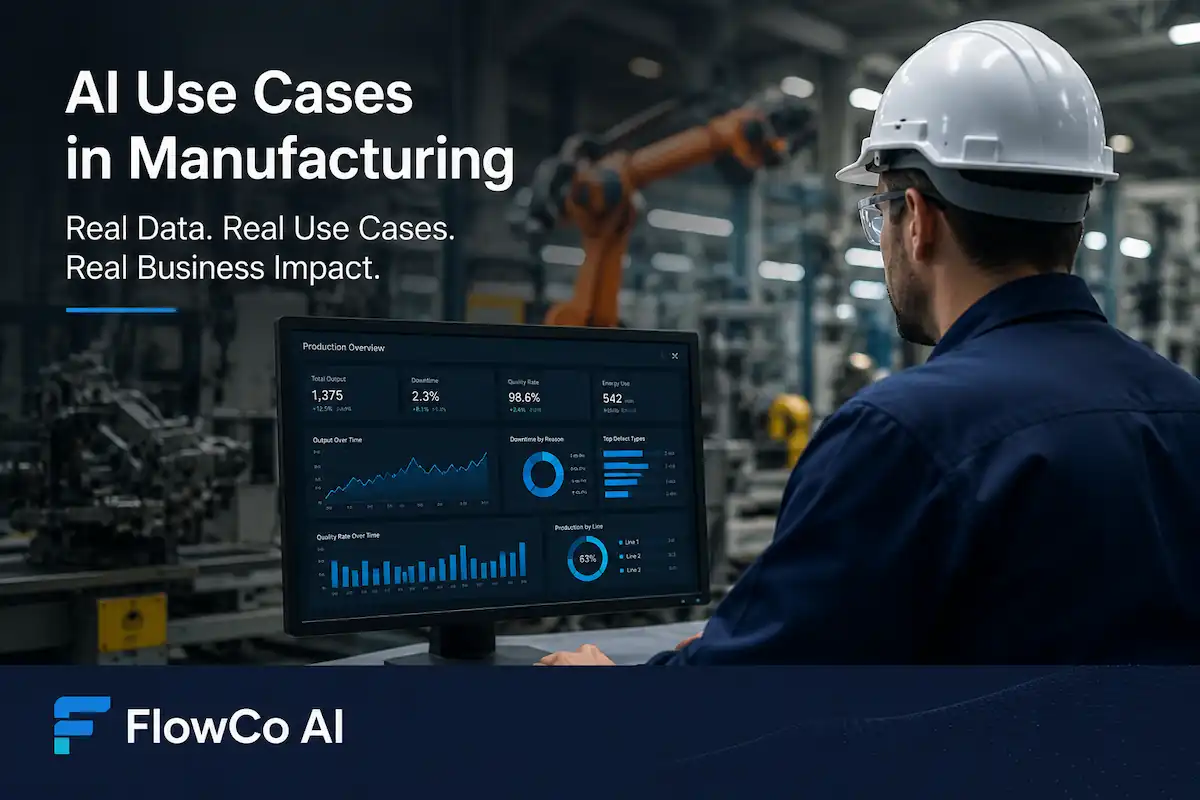
AI in Manufacturing Starts with Your Existing Data
According to one estimate, the world's 500 largest manufacturers lose nearly 11% of total annual revenue, equivalent to $1.4 trillion, due to unscheduled downtime. Poor quality and scrap can consume another 5–25% of sales. In that environment, disconnected systems and untrusted spreadsheets quickly become operational risks.
The Full Landscape of AI Use Cases in Manufacturing
The main AI use cases in manufacturing fall into a handful of categories. Predictive maintenance forecasts equipment failure before it happens. Quality and vision inspection catches defects on the line with cameras and machine learning. Supply-chain and demand forecasting predicts what to make and when. Generative design and digital twins simulate products and processes before anything is built. Robotics and cobots automate physical work on the floor. And operational-data AI turns the records a business already holds into forecasts, reconciliations, and decisions.
Most of those categories share one trait: they need new hardware. New sensors, new cameras, new robots, new simulation software, and the capital and integration time that come with them. That's where they stall for a mid-sized manufacturer. The fastest return rarely comes from buying more equipment. It comes from the operational and transactional data a manufacturer already owns and barely uses.
That is the category FlowCo works in, and it's where the 10 use cases below live. None of them require a camera or a sensor rollout. They run on the ERP, CRM, finance, and communication data already flowing through the business, which is why a 250-person manufacturer can see results in weeks instead of the year a sensor program would take. For the use cases that do need new hardware, like vision inspection or vibration-based predictive maintenance, we say so plainly later on and point you to the specialists who do that work.
10 AI Use Cases FlowCo Has Already Shipped
The 10 AI use cases below are built around the systems manufacturers already use every day. None require new cameras or shop-floor sensor rollouts. Instead, they rely on ERP, CRM, web-store, finance, and phone-system data to create trusted operational visibility and AI-driven workflows.
FlowCo has shipped all 10 of these use cases for discrete manufacturers. If you're responsible for operations, sales, finance, or IT in a mid-sized factory, this page is designed as a practical blueprint for turning existing data into trusted insights, automation, and measurable operational improvements.
Why It's Important for Manufacturing AI to Integrate ERP
and Operational Data
In manufacturing, understanding ERP and operational data is valuable before investigating certain AI applications.
Helpful for Understanding the Past
ERP and CRM systems have accumulated years and years of structured operational data. There are records of sales orders, inventory movements, work orders, BOMs, supplier records, production schedules, and financial transactions. Raw data from sensors only tells you what happened, but this kind of data explains events in their greater context.
For instance, a production order that is delayed would carry with it the customer's importance, the due date, labor that would have to be reallocated and the cost impact.
A Unified View of Planning and Execution
ERP platforms such as SAP PP or Oracle Cloud Manufacturing store planning logic including routings, lead times, MRP settings, and capacity rules. When paired with MES or shop-floor execution data, AI can compare planned production against actual performance. That makes it easier to identify bottlenecks, scheduling gaps, chronic delays, or underutilized resources.
Operational Data is Already Available
Manufacturers who don't use advanced robotics generate a significant amount of operational data. MES, SCADA, and PLC systems, along with smart meters and IoT devices, can capture machine status, cycle counts, downtimes, energy consumption, and quality checks. When these systems are used with ERP records, AI can model the operational data to improve outcomes such as reducing energy costs, lowering scrap rates, and improving delivery performance.
Connecting Operational Events to Financial Impact
The biggest advantage comes from linking operational events back to ERP transactions. If scrap increases, which customer orders are affected? If shipments are delayed, which machines or suppliers caused it? One aerospace manufacturer, for example, traced recurring defects back to changes in raw-material lot numbers after combining operational alerts with ERP procurement data.
In short, your ERP is not only an accounting system. It's the central record of your entire operation. As one analysis put it, manufacturing AI achieves a 200% average ROI, the highest of any sector, because every AI improvement maps to a cost the business was already measuring. FlowCo's approach is to use the ERP and CRM data as the groundwork so improvements translate immediately into cost savings or revenue lifts.
Data Foundation Use Cases
Unified Data Warehouse Across Systems
What it is: A single Postgres data warehouse that ingests every relevant system on a regular schedule: ERP, CRM, phone logs, e-commerce, and finance. Raw data is stored in append-only tables, and approved transformations produce a cleaned unified layer.
Systems Involved. The unified warehouse usually collects data from:
ERP systems such as Acumatica, NetSuite, SAP, and Epicor, for orders, bills, invoices, inventory, and purchases
CRM systems such as Salesforce and HubSpot, for leads and opportunities
Call systems such as RingCentral and Twilio, for call records
Spend-management systems such as Ramp and Brex
Online stores such as Shopify, Magento, and Amazon SP-API, for e-commerce
Meeting transcription tools such as Fireflies and Otter, for action items and customer calls
Key Steps. Fish raw tables from all source systems to a centralized warehouse. Standardize time zone, currency, SKU, and name. Construct reconciliation and deduplication logic for records like "Acme Corp.", "Acme Corporation", "Acme-Corp LLC" etc. After identity reconciliation, core tables for customers, products, and transactions can be created along with documented transformations for audit purposes.
Why It Matters. Having a unified warehouse allows manufacturers to connect all data. CRM opportunities can be matched with ERP invoices, shipped orders, and phone logs can be used to assess lead-response and customer-call-follow-up.
Illustrative Benefits. A manufacturer with 250 employees found that 20% of all dealer invoices contained address mismatches in ERP and CRM causing delays, and another discovered near $50,000 in orders from the website that had been missed because of a Shopify to ERP mismatch of SKU.
What Breaks It. Master-data quality issues usually break the project first. If customer names or IDs do not align across systems, dashboards produce duplicate or missing figures. One manufacturer discovered the same dealer existed as both "ACME LLC" and "ACME, Inc." across ERP and CRM systems, resulting in conflicting revenue totals. The fix was not additional AI logic, but disciplined master-data cleanup and reconciliation.
Automated Data-Quality and Exception Flagging
What it is: A rules-based audit engine that conducts scans of the warehouse data for anomalies, mismatches, and linkages that are absent. A flag is given a severity rating to assist the team in resolving the issues in the order of importance.
Checks We Run.
Sales: CRM opportunities marked "Closed-won" with no matching ERP sales order, ERP invoices with no CRM deal, and deals assigned to sales reps who have left the company.
Inventory and procurement: orders not matched to purchase orders, negative inventory levels, and ERP receipts with no purchase order.
Finance and spend: unknown vendor credit-card purchases, payments made in an unusual pattern, and payroll timesheets running more than 15 minutes over badge logs.
Master data: customer or vendor records that are duplicated or inconsistent across systems, and out-of-range fields like future dates or missing country codes.
Data Sources. All unified warehouse tables. For example ERP orders and invoices, CRM deals, card transactions, time-clock entries, GL accounts, etc.
Benefits. Teams catch errors early, not after they throw off a report. For instance, one 400-employee maker of industrial parts ran an initial audit on its 3,000 monthly card transactions and found over 1,500 low-level exceptions like alternate vendor spellings.
By automatically surfacing only the top 10% in severity, like duplicate payments or SaaS spend over budget, finance cut manual review time by 50%. Over time, false positives are annotated so the engine learns and improves its precision.
What Breaks It. Alert fatigue. An undisciplined audit can emit thousands of flags, burying the real issues. We overcame this by assigning each rule a severity score and requiring an "acknowledge" action.
For example, charging a subscription to a cloud service for an inactive user might be considered a low risk, while charging a card for supplier parts worth $5,000 is a critical risk. If a rule creates too many false positives, the team adjusts the rule or marks the exception. The feedback loop is critical, and if it is not active the data steward will burn out.
Role-Scoped Analyst Access for Database Security
What it is: A secured data-access layer, where analysts and AI agents can only access, and query, data housed in secured tables and rows. No sensitive data can be leaked. This is done by implementing Postgres roles, with Row Level Security.
How It Works. We create a dedicated database role, named something like analyst_readonly, with explicit SELECT permissions on a curated list of tables such as pipeline data, sales figures, and production KPIs. Tables marked as sensitive are never granted. We also define Row-Level Security policies so that a sales rep can only query their own region's customers.
Human + AI Use. The same analyst_readonly role is used by human analysts when they connect via SQL, and by our LLM-powered data chat system. Each query from the AI chat runs under SET LOCAL ROLE analyst_readonly, so the bot can't escalate privileges. All queries are logged with their user, SQL text, and result count.
Why It Matters. Defense in depth. Even if someone guessed a table name or tried a subquery, permissions block it. This is especially important for LLMs: as NIST and ISO guidelines stress, you should never give AI blanket access.
In practice, this approach stopped one potential data leak: an improperly scoped view that contained salary data was never even visible to the analyst role.
What Breaks It. Connection pooling. We discovered that new sessions could take on the context of the previous role if we didn't reset roles at the end of each request. The answer was to implement transaction-scoped role switching with SET LOCAL ROLE and clear the session after each query. This strict isolation means even if the LLM tried a sneaky trick, the DB rules would block it. And, importantly, every query and result is auditable in logs.
Visibility & Reporting Use Cases
Once the data foundation is in place, it immediately powers insights. We built dashboards and reports that teams use every day, providing transparency and trust.
Real-Time Team Dashboards for Sales and Ops
What it is: Department- and rep-level dashboards refreshed after each data sync, showing KPIs with audit traces back to transactions.
Key Metrics. Revenue by week and month, split into direct versus channel, plus lead conversion rates, open opportunities, production orders on time, and schedule attainment. Each number includes a clickable "audit trail" that shows the contributing rows.
For example, a dashboard tile might say "This week's sales: $480K". Clicking it reveals the 25 orders and invoices behind that total, with a count and the underlying database query.
Data Sources. The unified warehouse, with ERP orders and invoices joined to a sales-team mapping. Web-store orders and Amazon orders pulled through the SP-API are joined by SKU, customer, and date to attribute revenue correctly. For operations, ERP production and inventory tables are combined with MES or WMS data where available for metrics like OTIF, meaning on-time and in-full, or WIP.
Benefits. Teams align on the single source of truth. Sales reps get a live leaderboard to chase, not manually compiled spreadsheets. Operations managers see work-in-progress vs. plan on one page. Critically, whenever a number changes and someone asks why revenue jumped from yesterday, anyone can click and see the exact orders. This transparency forces accuracy in the first place.
What Breaks It. Misinterpreted KPIs. We have seen dashboards fail not because of the tech but because of a lack of trust. A meeting opens with the manager's tab showing $510K while the system shows $480K, and the room stalls on who's right. To survive that, we always include an audit-trace feature with footnote links on every key metric. The discussion then turns to data lineage, finding that MarketPlace order #123 was double-counted and fixing it, instead of arguing that the system lied.
Also, the formulas for exclusions like discount-only orders and internal transfers must be documented. We keep a versioned catalog of KPI definitions so that no number is a black box.
Daily AI-Enhanced Executive Reports
What it is: Every morning, the leadership team gets an email summary of the prior day's performance, with embedded AI insights.
Report Contents. Yesterday's key numbers such as daily sales, shipped orders, and open pipeline, plus historical context like month-to-date versus last year.
For sales: YTD pipeline value, top reps, closed-won in last 7 days, open deals over threshold.
For service and sales calls drawn from RingCentral data: total calls, missed calls, active reps, and peak call hours.
For operations/finance: orders shipped, invoices posted, days-sales-outstanding, AR aging buckets.
AI Insight. We use a Claude-based GPT to analyze the data and highlight anomalies or risks. Each observation links back to the auditable data. The idea is to alert executives to what they don't see by eye.
Data Flow. We pull metrics with SQL from the same warehouse, format into HTML, and send through a transactional email service. We schedule it for 9 AM daily so it's fresh at day-start.
Benefits. Executives get automated insights without manual toil. One plant GM noted that after deploying this, she saved 3 hours/week that used to go into compiling reports. And in one case the AI alert caught a surge in support calls from one dealer the night before, prompting a quick outreach that prevented escalation.
What Breaks It. Email deliverability. If the report sender isn't properly verified, some inboxes classify it as spam. We found out the hard way when only the founder saw the email. Setting up domain authentication on the email provider, including DKIM and SPF, was an early Phase 1 task.
Revenue
and Spend Integrity Use Cases
These use cases look for money leaks and confirm all revenue and expenses are correctly captured. Both run on the unified data lake.
Multi-Channel Revenue Reconciliation
What it is: Automated comparison of revenue records across channels, including the direct web store, Amazon, and dealers, to catch lost or double-counted sales.
Why It Matters. Manufacturers selling through multiple channels often find the same sale recorded twice, or not recorded at all, when books are tallied. For example, an Amazon order might appear in both Amazon's own reports and as a "direct" sale in ERP. Or a dealer's sale might be booked to the dealer partner instead of the web rep. These discrepancies can inflate forecasts or hide real performance.
Approach. We set up two processes:
Direct versus ERP: on a daily or weekly basis, compare the ERP's booked revenue by customer and SKU to the orders from the web store through the Shopify or Magento API. Flag any missed-money case where the ERP shows a sold order but no matching web transaction. We send these to the e-commerce team for review, since it's often a data-mapping issue.
ERP versus Amazon: we pull Amazon settlement reports through the SP-API and join them by SKU, customer, and date to ERP invoice lines, with an explicit ownership rule. Amazon purchases of a product count as marketplace revenue, not booked to the direct sales rep. The report lists any Amazon transaction not found in ERP, meaning a missing AR entry, or any ERP order that looks like an unreconciled Amazon sale.
Expected Benefits. In one case, a manufacturer discovered that 100% of its Amazon revenue was being booked to the wrong sales rep in ERP, because the AR module defaulted it to the original account. Their true Amazon manager appeared to have zero Amazon sales. This insight corrected eight-figure revenue attribution. In general, the reconciliation spots lost invoices and catches situations like "order was cancelled in the shop, but the dealer still thinks it's active."
What Breaks It. Ownership rules. We saw double counting where dealer sales and direct-sales teams both claimed credit for the same OEM sale. The fix was defining a clear policy in the data warehouse. If the channel is Amazon, always credit the Amazon rep. If a customer is marked as Direct but also exists in Dealers, decide which side owns the relationship. Industry research calls this the channel leakage problem. Getting the logic right often requires a meeting with the sales ops team. Once set, the job runs automatically.
Corporate Spend Audit & Anomaly Detection
What it is: A daily audit of company spending data, usually corporate credit cards, to detect anomalies, waste, and policy violations, aided by natural-language queries.
What We Ship. A pipeline that ingests every transaction from the corporate card system like Ramp or Brex, and links it to the vendor master and employee records. The system runs dozens of rules and flags on new transactions, such as:
Duplicate charges on the same card for the same date and amount.
Recurring software subscriptions where the user count is zero.
Transactions outside business hours.
Category mismatches e.g., office supplies charged to travel card.
Amount limits by role e.g., no $5000 meals on a junior card.
SaaS-waste detection: e.g., an R&D tool used last month by 3 people, but 15 user licenses still active.
Data Sources. Corporate card feed, vendor and department data from ERP, employee/role database from HR or IT systems.
Alerts and analysis: Flags and severity go into a table. We also expose this data to an AI chat assistant so a finance manager can ask in plain English, for example, "Show SaaS subscriptions over $1000 with no active users" and get an instant SQL-powered answer.
Benefits. One midsize tech-maker cut SaaS costs ~8% in the first year by identifying unused licenses and renegotiating contracts. Early anomaly detection also stops fraud and policy breaches.
What Breaks It. Vendor naming mess. One of the hardest parts is normalizing vendor names: e.g. "GOOGLE\*SERVICES 5464" vs "Google LLC" vs "Google Apps Workspace". If not cleaned up, the same subscription can appear as three different entries. We mitigate this with a vendor "fuzzy match" step and manual mapping table, and by tuning the SaaS-waste rule thresholds. Industry sources note that teams typically reclaim 5–10% of SaaS spend in year one once they get this under control, and reduce their month-end close time by 20–40%.
AI-Powered Analytics & Governance Use Cases
Beyond dashboards and audits, FlowCo builds interactive AI layers – but always with strong governance. These make analytics accessible and keep humans in control.
Natural-Language AI Analyst for Chat Q&A
What it is: A conversational interface, the chat-with-your-data idea, that lets operators and analysts type plain-language questions and get answers from the warehouse.
How It Works. We encode the warehouse schema and trusted KPI formulas into a system prompt for the LLM, then transform user questions into SQL. For instance, "What were total sales by region last quarter?" gets translated to a SELECT of the revenue table.
We run each query under the analyst_readonly role, so the bot can only see allowed tables. A SQL-linter checks for potentially harmful queries, no DELETEs, etc. The results are returned in chat with an audit link. Each Q&A turn is logged for compliance. We also throttle it, e.g. 50 questions per user per day to prevent runaway costs or abuse.
Data Touched. Only the same vetted warehouse tables a human analyst can see. No free roaming, and no access to PII or anything outside scope.
Why It Matters. This is the governed ERP AI chatbot pattern done safely, and it empowers users who don't know SQL to explore data. A sales manager might ask, "Which SKU grew the most in our east region?" and get the answer with supporting data. This quickens insights and frees up analysts.
What Breaks It. Overtrust in the LLM or its safeguards. Even the best SQL linter can miss a sneaky query. That's why we use layered defense. The linter catches obvious bad patterns, strict role permissions block anything it misses, and row-level security means that even if someone got through, they only see their slice. We also cap query time and rows returned to prevent denial-of-wallet and denial-of-service issues. In short, we follow guidance that high-risk AI features must include human-in-the-loop oversight and multiple controls.
Approval-Gated AI Actions, Human in the Loop
What it is: Whenever an AI agent or script wants to write data back into the authoritative warehouse layer, it must first get human approval. This creates a clear recommend-versus-execute boundary.
How It Works. Suppose an AI agent reconciles two records and suggests a correction to the unified table. Instead of writing immediately, it writes a proposal into an agent_proposals audit table with the details: target table, before and after values, rationale, confidence, and risk level. A designated reviewer then sees a review UI or emailed report and can approve, reject, or modify. If approved, a controlled process applies the change. If rejected, the reason is logged and handed back to the AI agent as a hard rule for next time, so it won't repeat the same bad suggestion.
Use Case Example. FlowCo's revenue reconciliation bots do this: unmatched sales orders are listed as "agent proposals" for review. A sales ops leader clicks "approve" on the ones that are valid misses, and the system inserts them into the ERP copy table so the dashboards will include them.
This pattern aligns with NIST and EU guidelines that require meaningful human oversight on AI-driven changes. The EU AI Act, in Article 14, specifically says high-risk systems must be overseen by natural persons.
Our workflow implements that literally: the AI suggests, the human approves, then the system writes.
What Breaks It. Too many interruptions. If every rule triggered an approval request, the human approver will mechanically click "yes" after day one. To avoid this, we classify actions by risk. Low-risk, reversible changes like tagging a flagged record, we allow automatically with logging. Medium-risk changes like correcting a billing address go through a quick review. Only high-risk or irreversible changes like deleting a customer require full manual re-keying. This keeps the human focus on the most critical edits.
Conversation Intelligence from Call and Meeting Transcripts
What it is: Pipeline that transcribes customer calls and meetings, then writes structured summaries into the data warehouse, linked to CRM/ERP context.
Components.
Phone calls: we pull call logs and recordings from the telephony system. Recordings or audio alone go through OpenAI's Whisper for transcription. The transcript plus metadata is saved as a call record in the warehouse. Each call is linked via phone number or account code to the CRM customer and any related open deals or support cases.
Meetings: we ingest transcripts and action items from our meeting transcription service, for example through the Fireflies or Otter API. Each transcript is parsed for attendees and agenda. Action items get flagged. We write structured rows: which customer or project the meeting concerned, who attended, and any follow-up tasks.
Why It Matters. Phone and meeting conversations contain a trove of insight that usually lives "in someone's head" or in unsearchable notes. By bringing them into the data platform, you can, for example, track that Dealer X called three times last week about a delivery, an automated system could alert management if calls spike. You can also audit commitment: "Show me the last five sales calls that mentioned price escalation."
Data Sources. Phone-system call detail records and recordings, plus meeting transcripts via API. We also check against an allowlist, transcribing only the calls and meetings that involve approved projects or external parties, to control costs.
Benefits. Better visibility and follow-up. In one customer case, sales discovered that a key client had expressed concerns on a call, captured in the transcript but in no CRM entry, and the sales manager quickly assigned an account rep to check in. It also helps tie conversations to outcomes, linking a promised product feature from a support call directly to the eventual engineering ticket in the ERP.
What Breaks It. Transcription costs and privacy. Converting every internal meeting at a 200-person company would blow an entire Whisper budget. We mitigate this by filtering and setting per-call caps, often a 20-minute maximum. The truth is, auto-transcription is an extra layer of cost, but the industry consensus is that strict quotas and allowlists are how finance teams keep this from becoming an uncontrolled SaaS expense. We enforce strict opt-in lists and get compliance signoff before recording any conversation.
What FlowCo Does Not Do
It's worth clarifying what sits outside our scope. The use cases above are FlowCo's sweet spot because they run on business-system data. The hardware-driven categories from the landscape above are a different discipline, and we don't build them. Vision-based quality inspection and serial-number traceability are real AI applications best left to specialized MES and vision vendors. Finite-capacity scheduling and detailed production optimization belong to advanced planning and scheduling platforms. We don't replace your MES or PLC controls, and we work in parallel with them, never in direct control of a machine. Predictive maintenance can save millions, but it needs machine sensors and OEM data, so it belongs to the vibration-and-telemetry specialists, not to us. Generative design and digital twins are driven by CAD and CAE tools. We support the data flows around engineering, like material costs and BOMs, but not the core design algorithms. And camera-based defect detection is handled by vision-system integrators.
In short, FlowCo complements the shop-floor AI vendors. The fastest ROI for a 50–500 person discrete manufacturer comes from data, not dust. If one of those hardware-driven cases is your priority, partner with a specialist in that domain. IEEE and SAP both publish AI manufacturing guides that cover predictive maintenance and digital twin use cases in depth.
Five Common Patterns
Trust Over Technology
All 10 use cases follow the same operational and governance principles. These are the foundations that make AI reliable inside real manufacturing environments.
- 01
Unified Data Layer: Every Sales Operational Use Case accesses common Data Warehouse tables, so Sales, Ops, Inventory, and Finance teams engage with the same Customers and SKUs.
- 02
Append Only Raw Data with Reconciled Views: Raw Source Data are not modified and are stored on tables that only permit appending. Corrections and reconciliations are stored on separate unified views. This ensures a complete audit trail.
- 03
Human-in-the-Loop Changes: Updates that impact core data or the reconciliation process require approval by a human prior to entering the Unified Layer. Every update is recorded.
- 04
Audit Trails Behind Every KPI: Every Dashboard KPI is traceable to the Source data. Teams feel greater trust in data when every KPI can be verified.
- 05
AI Recommends, Humans Approve: Proposed actions are filtered through an AI System. Critical actions are designed to require a human approval to place alignment with governance frameworks in place.
These patterns are the secret sauce behind successful AI in manufacturing. They turn scary-sounding words like "AI" into reliable business processes. In all FlowCo case studies, which we can share under NDA, the results follow these five rules. The models or LLMs themselves are fungible. It's the disciplined scaffolding around them that produces results an audit or operator will trust.
FlowCo's AI Implementation Phases
FlowCo follows a structured playbook tuned for discrete manufacturers. We typically break an engagement into phases, each delivering value:
Phase 1: Data and AI Readiness Assessment, 3 to 4 Weeks
We start by auditing your systems: ERP, CRM, any WMS or MES, card spend platforms, time-tracking, and call and meeting platforms. We identify data gaps, quality issues, and integration challenges. Critically, this is where our AI consulting for manufacturers earns its keep, working with you to prioritize use cases by which pain points matter most and where the data is ready.
By the end of Phase 1, we present a roadmap and a proposed first use case, e.g., "dashboard + analyst chat". We'll also have a remediation list: e.g., "normalize the customer master by merging 120 duplicates." This upfront clarity prevents wasted effort later.
Phase 2: Unified Data and First Use-Case Pilot, 6 to 8 Weeks
We build the unified Postgres warehouse on top of your ERP, with no new ERP coding. We ingest data from all identified sources and implement the core cleansing rules. Then we "eat our own dog food" by delivering the first high-impact use case from Phase 1.
For example, we might deploy the sales dashboard with its audit trail and the first data-quality flags, or a spend-audit pipeline. We measure trust by watching whether leaders open the dashboard and click the links without complaining, and we refine until they do. Once the first use case is trusted, we roll out the next one or two, often a visibility dashboard plus a reconciliation report.
Phase 3: AI Layer, 6 to 8 Weeks
With the data and dashboards in place, we layer in the AI enhancements. This is when we add the daily AI email reports with insights, the natural-language analyst chat, and any approval-gated automation. We keep the human-in-the-loop controls active throughout.
Conversation intelligence systems come online here too, transcribing calls and meetings. The permissions and logging then get analyzed against structural frameworks including ISO/IEC 42001 and the AI RMF, so we can demonstrate to auditors that everything is under governance.
Ongoing Improvement
Once the initial stack is live and the ROI is clear, we often continue as a managed service. We'll refine models, add new data feeds, and build additional use cases like global consolidation or new integration. But this is all aimed at specific goals, with no open-ended hours. We can also train your in-house team on the system so you're self-sufficient if desired.
Throughout, we emphasize speed and transparency. A typical 300-person discrete manufacturer can see a first usable dashboard and quality report by week 8. There are no year-long installations. We like to think of FlowCo as ERP-adjacent AI, sitting on top of your existing systems instead of beside them with a separate ERP.
Common Challenges & Their Solutions
Data Silos & Quality: Different systems lead to dashboards losing integrity with their varying consistency across customer ID, SKU, and naming conventions. Solution: Master data should be cleaned and standardized. At FlowCo, data cleanup is phased as part of the prep work for AI implementation.
Complex Legacy Systems: Older ERP systems use batch processing to update data with a delay, whereas operational systems create data in real time. Solution: Do not replace the ERP. For the time being, build a data warehouse and use APIs to provide data in what you will set as a real time threshold.
Talent & Managing Change: AI implementations are ineffective when employees don't understand or trust the conclusions made. Solution: Form multi-disciplinary teams. Simplifying conclusions, and implementing small, rapid changes will drive improvements in the operations.
ROI: AI implementations are ineffective when executives see no positive, measurable impact on the business. Solution: Each use case should be aligned with a benefit to the organization, if not in operational costs, then through diminished downtime, less inventory, delayed invoices, or lost sales.
Data Security: Manufacturing systems contain sensitive data, both operational and customer. Solution: Adopt a least-privileged access policy. During implementation of AI, restrict data to only what is needed, and use a policy of continual auditing for the dataset.
Starting Big: Many AI projects fail because of an early attempt at a complete enterprise solution. Solution: Start small, with one operational problem that offers the potential to drive the most impact, and work within one valid dataset.
Embrace Your Data-Driven Future
You don't need modern sensors or a new ERP system to use AI. Most manufacturers have useful operational data across their ERP, CRM, finance, and reporting systems. The issue is properly consolidating and governing that data.
The 10 use cases listed above are real deployments FlowCo has implemented for discrete manufacturers. Each of them is based on trusted data, audit trails, and AI outputs that have been reviewed by people, helping teams improve transparency, reduce friction, and realize quantifiable ROI.
Next step
Bring Us Your Manufacturing AI Use Case
If you run a 50 to 500 person manufacturing business, tell us where your data is stuck and what you wish you could see. We'll point to the highest-impact AI opportunity inside the systems you already run, flag the operational and reporting gaps worth fixing first, and lay out realistic next steps. No generic AI pitch, only practical guidance based on your operation. Free, no obligation, and we reply within one business day.
Free assessment · your market
What you'll get
- A real read on your workflow — not a sales pitch
- Honest assessment of what automation is worth for you
- Clear scope, timeline, and fixed investment if we proceed
FAQStraight answers.
Straight answers.
No sales script.
The questions buyers ask before starting an engagement.
5 questions · your market
Answer
What are the main AI use cases in manufacturing?
They fall into a handful of categories: predictive maintenance, quality and vision inspection, supply-chain and demand forecasting, generative design and digital twins, robotics and cobots, and operational-data AI. The first five mostly need new hardware like sensors, cameras, or robots. The last one runs on the ERP, CRM, and finance data a manufacturer already holds, which is why it tends to deliver the fastest return for a mid-sized shop.